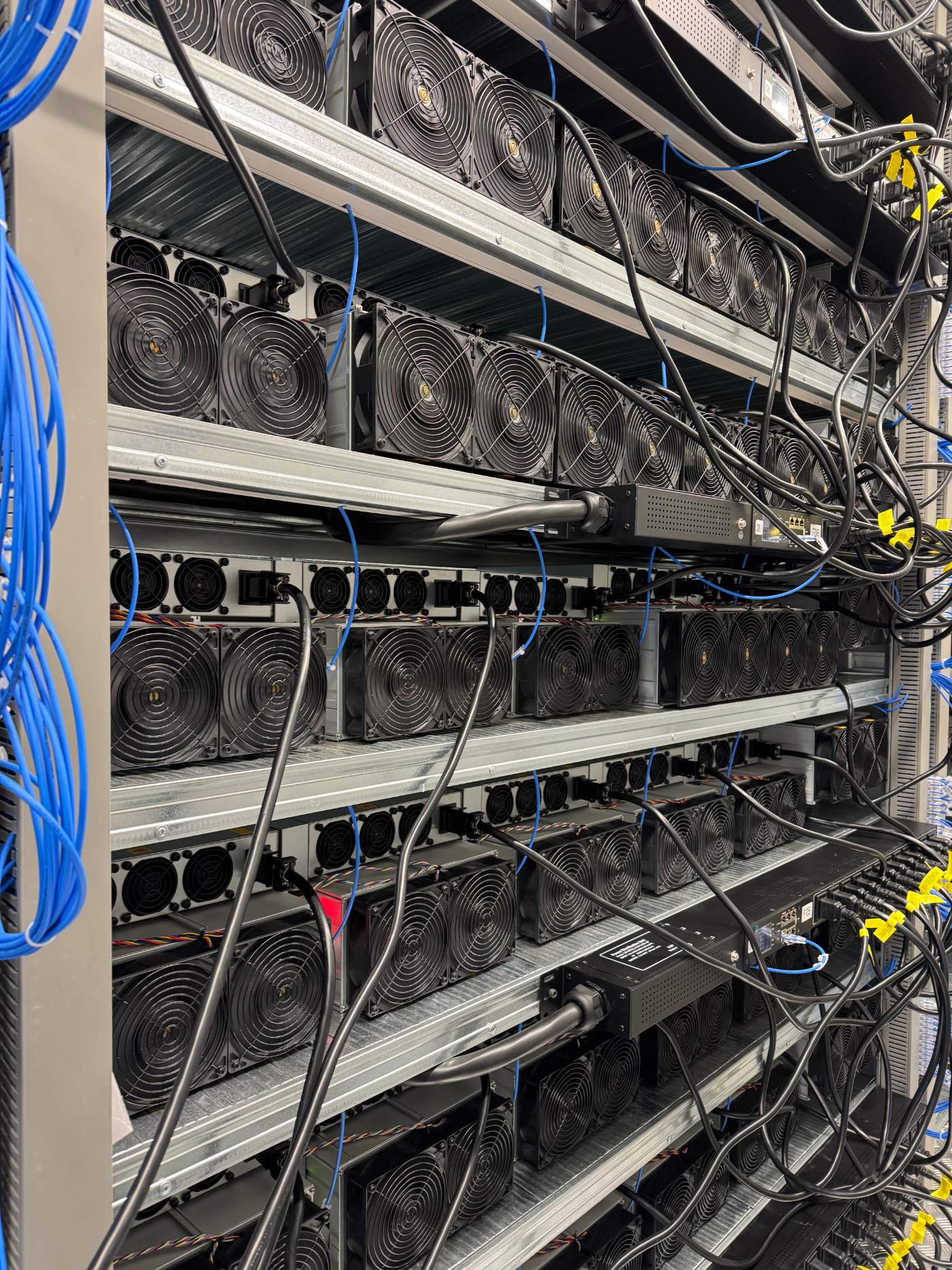
What to look at when you visit a hosting site before signing, and which of your questions are better answered standing in front of the gear.
You can read a data sheet, a contract and a set of photographs, and still not know what a site is like to run hardware in. Some of that only shows up when you are standing in the room, and a fleet owner who skips the visit is signing on the strength of a document written by the party asking for the money. A visit does not replace the contract review, but it answers a different set of questions, and several of them are questions the host cannot fully answer for you from behind a desk.
Cabling tells you how the site was built
Walk the rows before you look at anything else. Cable runs that are labelled, strain relieved and kept clear of airflow paths are the visible result of a build that followed a standard. Cable runs that are bundled with zip ties in a hurry, crossing intake paths, or spliced with visible improvisation are the visible result of a build that did not. You are not qualified to audit switchgear on a walkthrough, but you are qualified to notice whether the cabling looks like it was done once, correctly, or done twice, the second time under pressure. Ask how old the newest run is and how old the oldest run is. A site with both should be able to tell the difference at a glance.
Look at density too, not just tidiness. Racks or containers loaded past what the cabling and airflow design were drawn for are a common way a site quietly runs hotter than its own data sheet suggests. If the row you are shown looks noticeably fuller than the plan you were sent, ask why, and ask whether the row you would occupy is built to the same standard or was an afterthought once the original layout filled up.
Housekeeping is a proxy for discipline you cannot see
Dust accumulation on intake filters, spare parts stored in the open rather than logged, and a floor that has not been swept in a while are small things individually. Together they are a reasonable proxy for how the operator treats the parts of the job nobody is watching, including the parts that do matter to your fleet: firmware discipline, power balancing, and how quickly a fault gets noticed rather than found during the next inspection. Ask to see the spares shelf. An operator carrying the parts that fail on this hardware, labelled and counted, runs differently from one that has to check a system before answering.
Logs and protocols show what gets written down
Ask to see an incident log, even a redacted one. What matters is not whether the site has ever had an incident (every site has) but whether the response was written down: what happened, when it was noticed, what was done, and when it was resolved. A site that can produce this without preparing it in advance runs to a standard. A site that has nothing to show, or produces something visibly assembled for the visit, is telling you how it will treat your future incidents too. The same goes for a change management log: planned work, notice given, and what was rolled back when something did not go to plan.
What the staff on site tell you that the sales team will not
A short conversation with whoever walks the floor is worth more than it should be. Ask how they get parts when something breaks, and how long that usually takes. Ask what the last real problem was and how it got fixed. Ask what they wish the site had more of. These are not trick questions, and a technician who answers plainly, including with a candid "that took longer than it should have", is a better sign than a script. If every question gets redirected to whoever set up the visit, that redirection is itself information.
Watch, too, how the sales contact and the technical staff talk to each other while you are there. An operator where the person who signs the contract and the person who runs the floor clearly know the same facts, and correct each other in front of you without friction, is a different organisation from one where the two sides seem to be meeting the site for the first time alongside you.
Bring a short list to the walkthrough itself and use it, rather than trusting memory once you are back at a desk comparing sites.
- Cable age, labelling and routing relative to airflow.
- Spare parts on the shelf: which components, how many, how counted.
- An incident log and a change log, produced without much notice.
- Response time for the last real fault, described by the person who fixed it.
- Physical access control at the door, not just described in a document.
- Whether the rack or container you would occupy is shown to you, not a different one that happens to be tidy.
What to do with what you find, and what a no means
If the visit confirms what the contract says, you have lost an afternoon and gained confidence, which is a fair trade for hardware you are about to commit for a fixed term. If the visit contradicts the contract, raise it before signing, not after. And if a host declines a visit entirely, or offers only a video call for a site you can drive to, treat that as an answer in itself. There are legitimate reasons a specific rack is off limits on a given day. There is no good reason a fleet owner cannot see the facility they are about to pay to occupy, or walk the access control measures described on the operations page rather than take them on the page's word.
If you want to see a site before you commit hardware to it, get in touch and we will walk you through one in person.